AI Isn’t Replacing Bloggers—It’s Helping Us Work Smarter
I’ll admit it. When AI first started becoming popular, I wasn’t sure how I felt about it.
As someone who genuinely enjoys writing, I worried it might make blogging feel less personal.
But the more I explored different AI tools, the more I realized something. AI doesn’t have to replace your creativity.
Instead, it can take care of the repetitive tasks that often slow us down, giving you more time to focus on what really matters — sharing your ideas and connecting with your readers.
Today, AI has become part of my blogging workflow, not because it writes for me, but because it helps me work more efficiently.
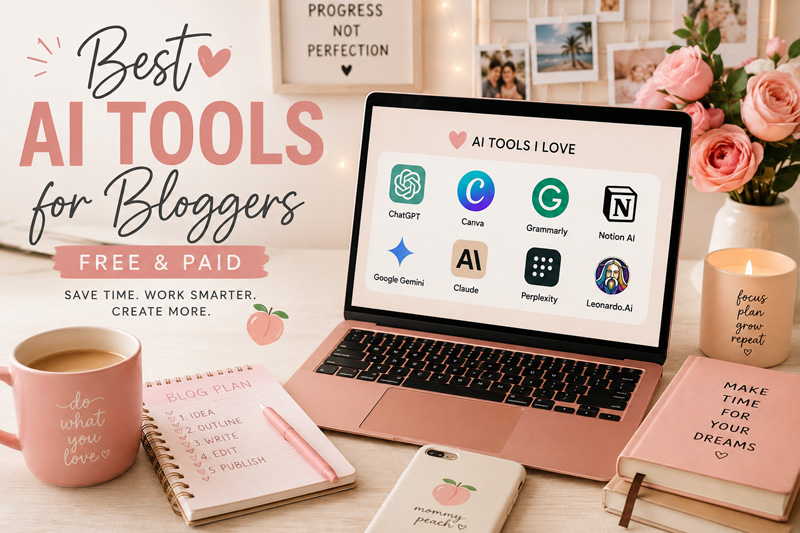
If you’re curious about incorporating AI into your own blog, here are some of the best AI tools for bloggers that are actually worth trying.
1. ChatGPT – Your Brainstorming Partner
It’s probably impossible to talk about AI without mentioning ChatGPT. While many people use it to generate articles, I find it even more valuable as a brainstorming partner.
I use it to:
- Generate blog topic ideas
- Create content outlines
- Rewrite awkward paragraphs
- Brainstorm headlines
- Draft social media captions
- Plan content calendars
- Overcome writer’s block
The key is remembering that AI should support your writing—not replace your voice. Your readers visit your blog because they want to hear from you.
2. Grammarly – Polish Your Writing
Even experienced writers make mistakes.
Grammarly helps catch grammar errors, awkward sentences, punctuation issues, and inconsistencies before you hit publish.
It’s especially useful when you’ve been staring at the same article for hours and can no longer spot your own mistakes.
Think of it as an extra set of eyes.
3. Canva Magic Studio – Create Graphics Faster
Every blog post needs visuals. Whether it’s a featured image, Pinterest pin, Instagram Story, or Facebook graphic, Canva has become one of the easiest tools for bloggers.
Its AI-powered features can help:
- Remove backgrounds
- Generate images
- Resize designs
- Write text suggestions
- Speed up graphic creation
You don’t need to be a graphic designer to create something beautiful.
4. Google Gemini – Research and Brainstorming
Google Gemini is another AI assistant that’s great for brainstorming and organizing ideas. I like comparing different perspectives when planning a new article.
Sometimes ChatGPT gives me one angle. Gemini gives me another. That combination often leads to a stronger final piece.
5. Perplexity AI – Quick Research
When I want a quick overview of a topic, Perplexity AI is incredibly helpful.
Instead of opening ten different browser tabs, I can quickly understand a subject before diving deeper into more reliable sources.
It’s a fantastic starting point for research. Just remember to verify facts before publishing.
6. Notion AI – Organize Everything
Blogging involves much more than writing. There are content calendars. Keyword lists. Affiliate ideas. Drafts. Editorial plans.
Notion AI helps organize everything in one place while making note-taking and planning much faster.
7. Claude – Great for Long Documents
Claude is particularly useful when working with longer pieces of content.
If you’re revising a lengthy guide or brainstorming improvements for an existing article, it’s good at understanding larger amounts of text while maintaining context.
Many bloggers use it alongside other AI tools rather than relying on just one.
8. AI Image Generators
Sometimes you need a featured image that’s unique to your blog.
AI image generators can help create:
- Blog feature images
- Pinterest graphics
- Social media visuals
- Concept illustrations
They’re especially helpful when you can’t find the right stock photo or want something more personalized.
AI Should Save You Time—Not Replace Your Voice
This is probably the most important lesson I’ve learned. Readers don’t come to your blog because AI can write.
They come because they enjoy your stories, your experiences, your recipes, your travel adventures, or your parenting advice. AI can’t replace that.
What it can do is help with the repetitive work:
- Organizing ideas
- Fixing grammar
- Creating graphics
- Brainstorming headlines
- Planning content
That means you get to spend more time creating content that only you can create.
Use AI Responsibly
AI is a powerful tool, but it’s not perfect. Always fact-check important information. Review everything before publishing. Add your own experiences, opinions, and personality.
Remember that Google rewards helpful, original content created for people—not generic articles produced with little human input.
Your expertise and authenticity are still your greatest strengths.
As a blogger, I’m always looking for ways to work smarter without losing what makes my blog feel personal. AI has helped me save hours every week, especially when I’m planning content, brainstorming ideas, or polishing a draft.
But every article I publish still reflects my own experiences, my own voice, and the stories I want to share. That’s something no tool can replace.
The best AI tools for bloggers aren’t the ones that promise to write your entire blog for you. They’re the ones that help you save time, stay organized, and remove the small tasks that can slow you down.
Whether you’re brainstorming your next post, creating graphics, improving your writing, or organizing your editorial calendar, AI can become a valuable assistant in your blogging journey.
Use it wisely, stay authentic, and let technology support your creativity — not replace it.
Frequently Asked Questions
Are AI tools free?
Many AI tools offer free plans with optional paid upgrades. If you’re just starting out, the free versions are often enough to help with writing, brainstorming, and design.
Will using AI hurt my blog’s SEO?
Not necessarily. Search engines generally focus on the quality and usefulness of content rather than whether AI assisted in creating it. The key is to ensure your articles are accurate, original, and genuinely helpful.
What’s the best AI tool for beginner bloggers?
If you’re new to blogging, I’d start with ChatGPT for brainstorming, Grammarly for editing, and Canva for creating graphics. Together, they cover most of the tasks you’ll encounter.